New snapshot
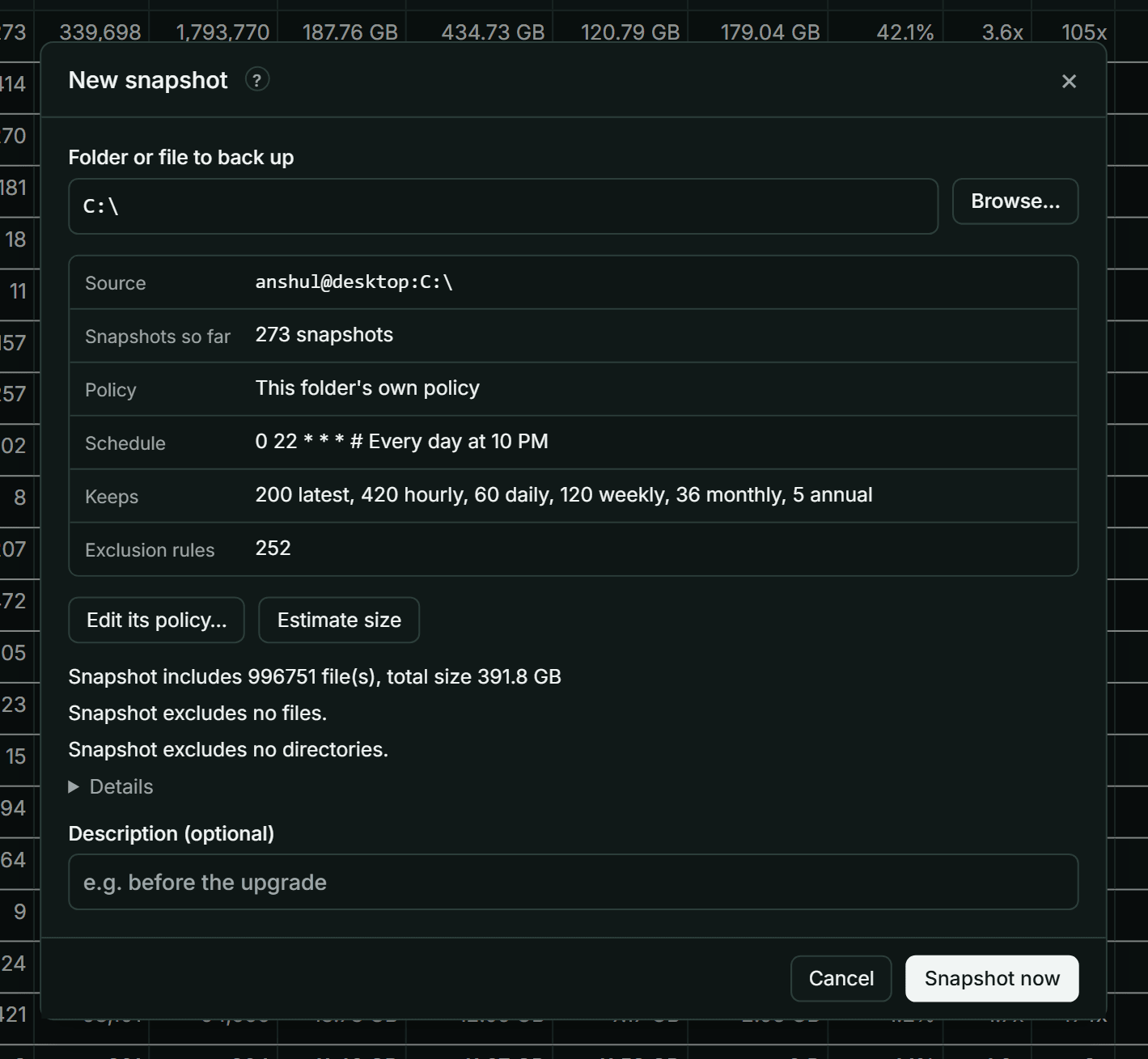
New snapshot… backs up any folder or file now: one you already back up, or a new one. It shows which policy will apply and estimates the size before you start. Open it from the Dashboard.
Taking a snapshot needs the Non-destructive permission or higher (Permissions).
Take a snapshot
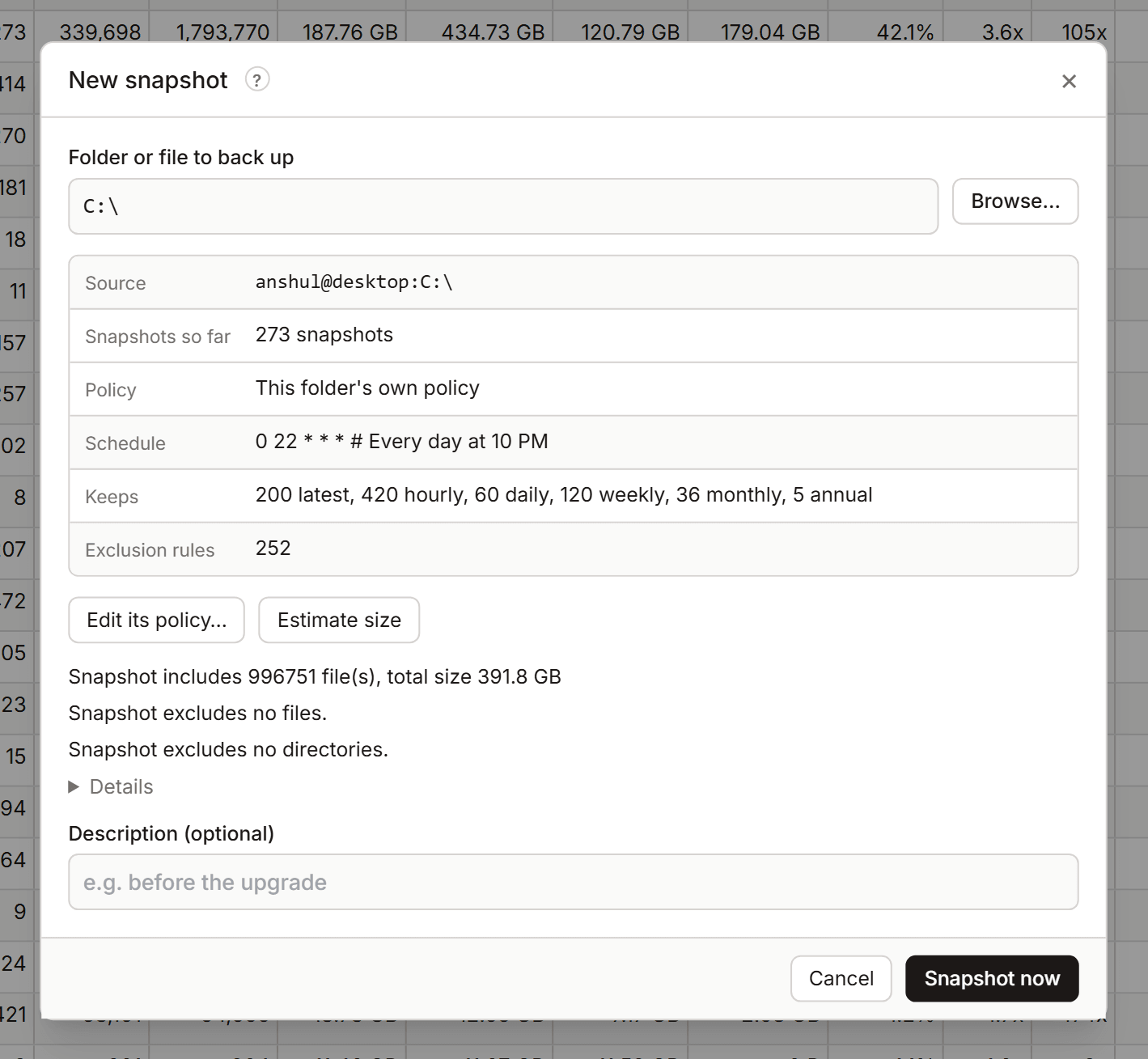
- In Folder or file to back up, type the path or select Browse…. The path is on the computer running KopiaLens. In Docker, it's the path inside the container.
- Check what KopiaLens found:
- Source: the source this path becomes, as
user@computer:path. - Snapshots so far: how many it has, or None, this is the first.
- Policy: which policy applies (its own, inherited from a parent folder, or the Global policy), its Schedule, what it Keeps, and how many Exclusion rules apply.
- Source: the source this path becomes, as
- Optional: select Estimate size. Kopia walks the folder and reports how much it includes and excludes, and how long the upload might take. Stop ends the estimate.
- Optional: enter a Description, for example
before the upgrade. - Select Snapshot now.
The snapshot runs as a job in the job panel. Later backups of this folder follow its policy's schedule.
Change the policy first
Before the first snapshot, you may want different rules for this folder: other exclusions, retention or a schedule.
- Give it its own policy… opens the policy editor in a popup with a new policy for this folder.
- Edit its policy… opens the policy it already has.
New snapshot stays open underneath. After you save, it shows the new policy.
Who runs later backups
Later snapshots of the folder follow its policy's schedule. They're taken by the app that runs this repository's backups: KopiaLens, or another app such as KopiaUI (Who runs backups). A policy with Manual only in its schedule is never backed up on a schedule.