Repository
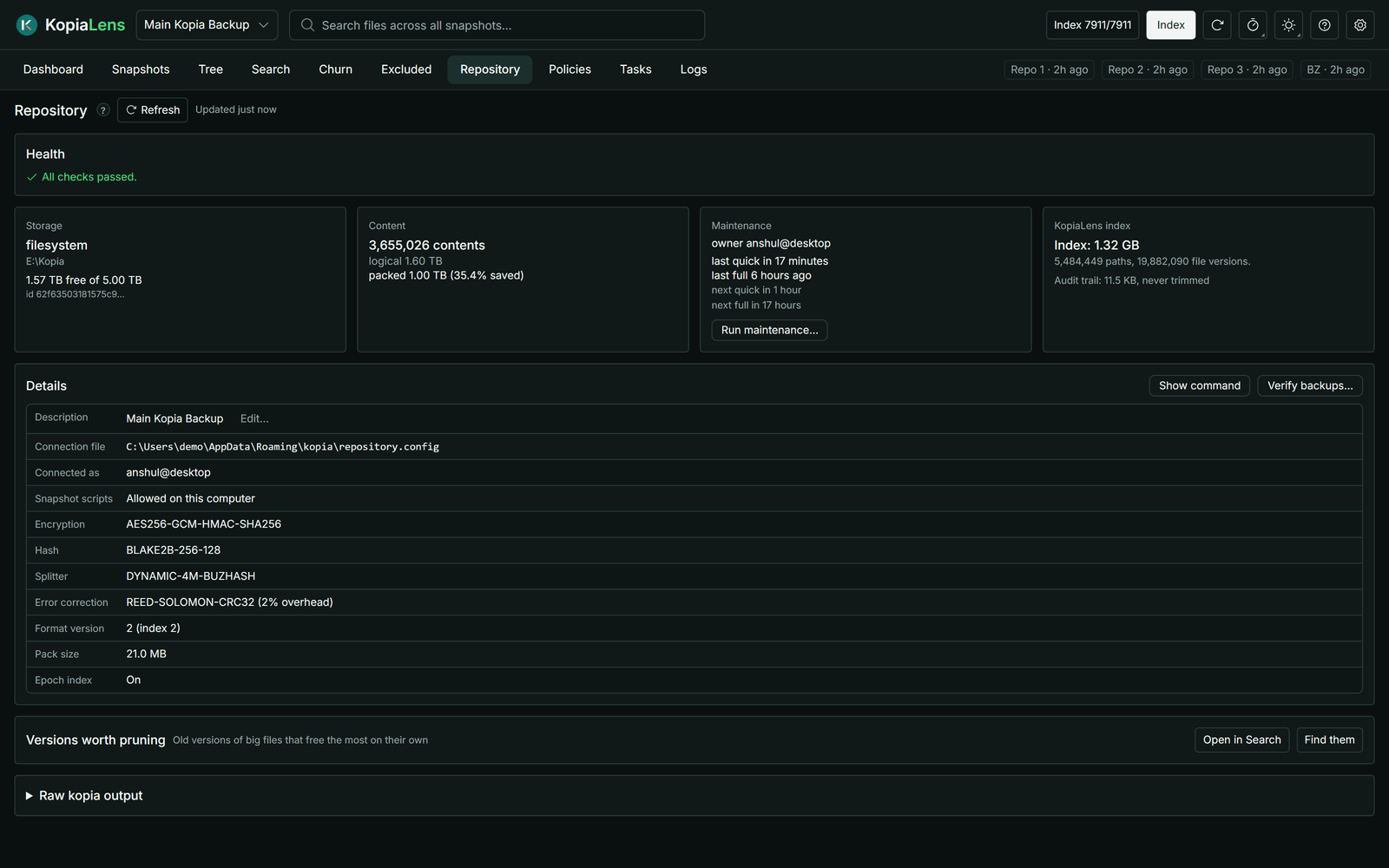
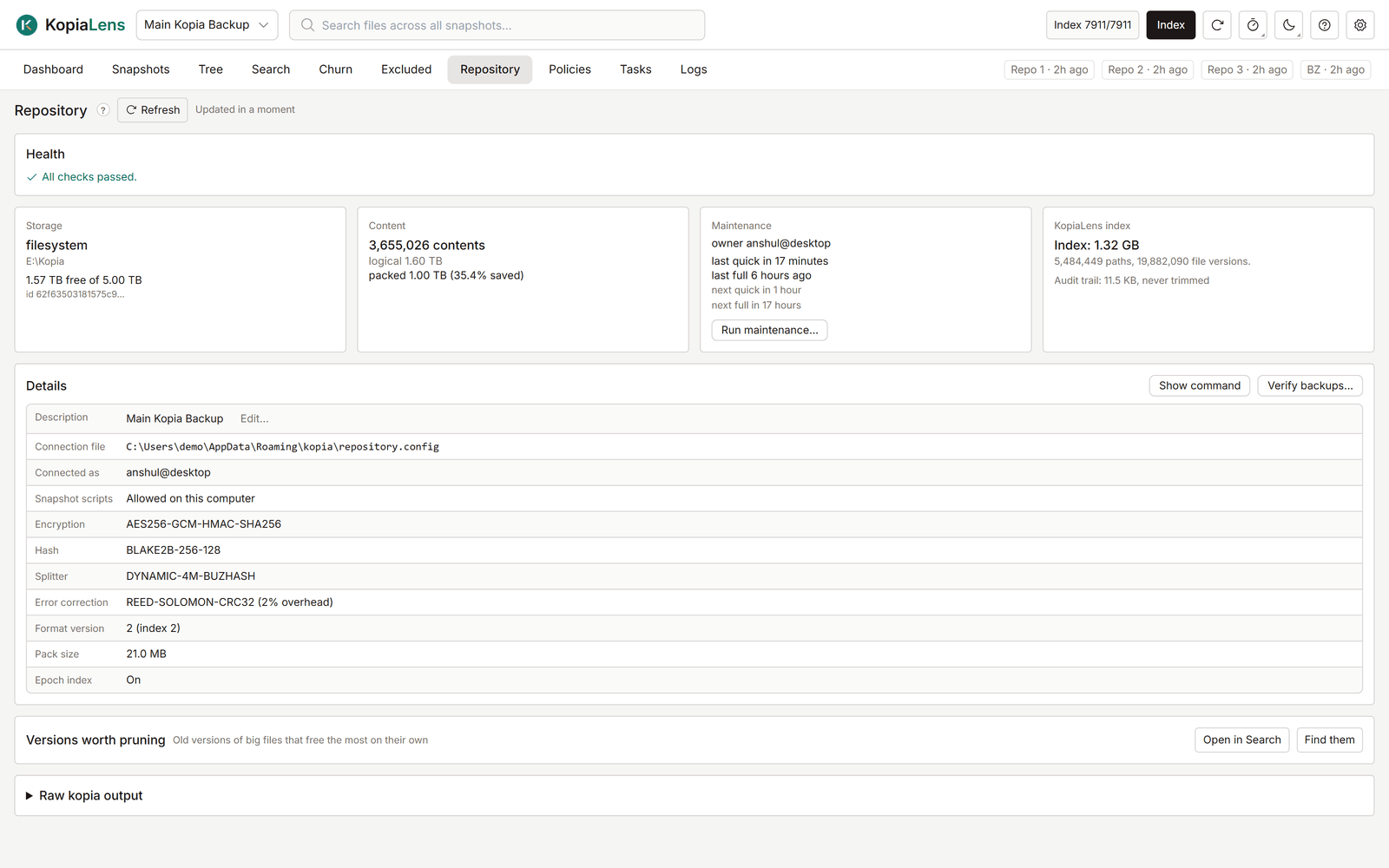
The Repository tab shows the repository itself: its health, storage, maintenance and settings. Check it when something looks wrong, or before you run maintenance.
Health
The Health card lists anything that needs attention. All checks passed. means none of these were found:
- This connection can't run maintenance, because another user or computer is the maintenance owner.
- Snapshots in the repository use a different spelling of this computer's name, or two spellings.
- Full maintenance is turned off, has never run, or hasn't run for many days. Space from deleted data isn't freed until it runs.
- The repository has no KopiaLens index yet.
- The drive or volume holding the repository is nearly full.
- The repository grew a lot in the past week.
- KopiaLens's retention check disagrees with kopia for some sources.
Where a fix is a kopia command, Copy fix copies it.
The cards
| Card | What it shows |
|---|---|
| Storage | The storage type (for example filesystem, s3), where the repository is, and the free space where KopiaLens can read it |
| Content | How many pieces the repository stores, their total size before and after compression, and the change over 7 days |
| Maintenance | The maintenance owner, when maintenance last ran, and when the next quick and full runs are due. Run maintenance… starts one (Maintenance) |
| KopiaLens index | The size of KopiaLens's index for this repository, how many paths and file versions it holds, and the size of the audit trail |
Select Refresh to read the numbers again from kopia.
Details
The Details table lists the repository's settings as kopia reports them:
| Row | What it means |
|---|---|
| Description | The repository's name in KopiaLens and KopiaUI. Edit… changes it |
| Connection file | The connection file KopiaLens uses |
| Connected as | The user and computer this connection backs up as. (read-only) for a read-only connection |
| Snapshot scripts | Whether this computer runs a policy's own commands before and after a backup (Snapshot scripts) |
| Encryption, Hash, Splitter | How kopia encrypts data, names pieces and cuts files into pieces. Chosen when the repository was created |
| Error correction | Extra data kopia stores to repair small storage errors, or Off |
| Format version, Pack size, Epoch index | kopia's storage format details |
Show command shows the kopia command behind the table. Verify backups… checks that your snapshots can be read (Checking backups).
Versions worth pruning
This list finds old versions of big files that free the most space on their own. Select Find them. Each row names the file, the version, its size and what deleting that version gives back. Prune… opens Prune versions for that file.
The list needs an index. On a repository indexed for the first time, it's available after the next index run.
Raw kopia output
Raw kopia output shows kopia's own text for the repository. Run blob stats… counts every stored file in the repository's storage. It's slow on large repositories and asks before it starts.