Tasks
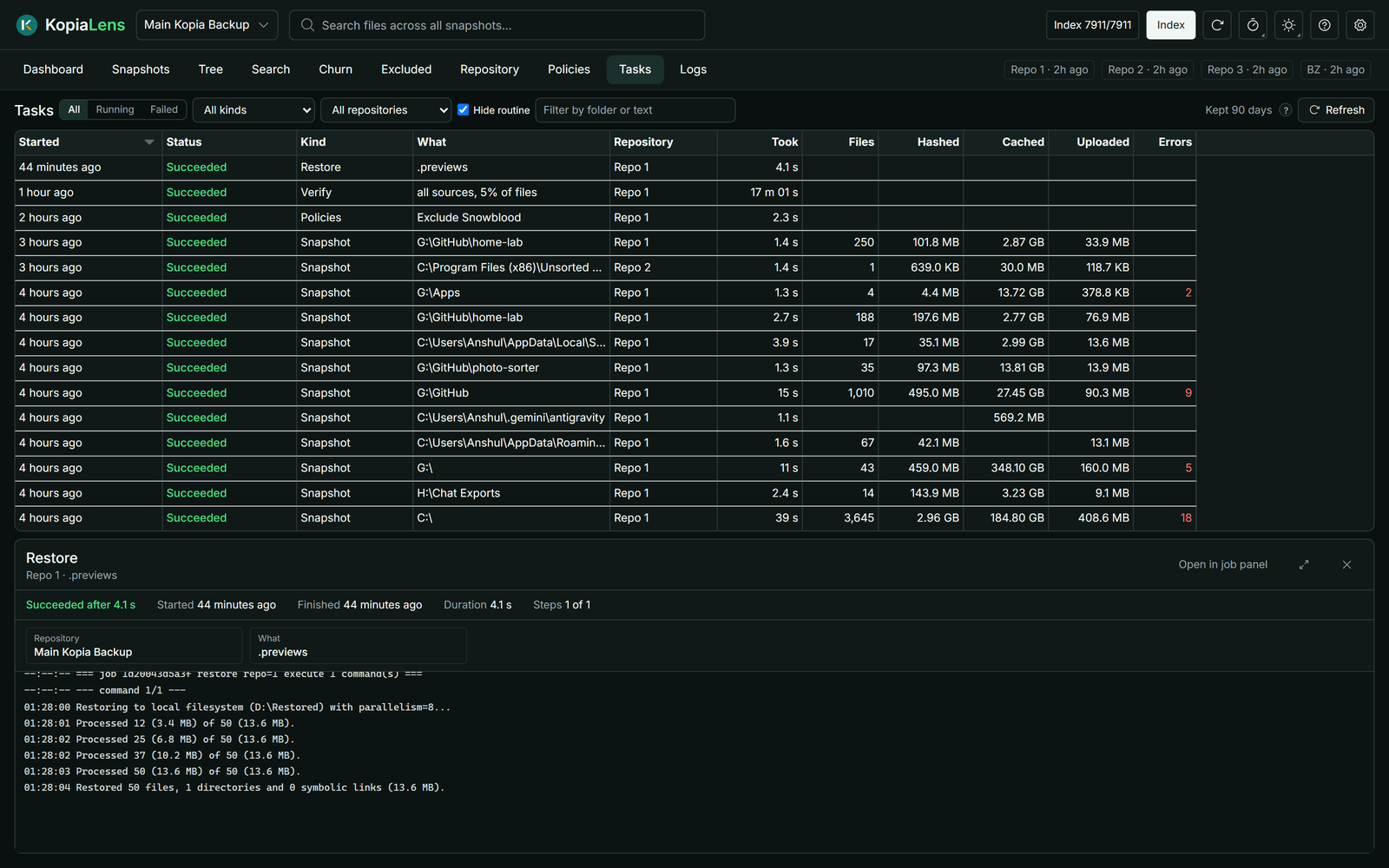
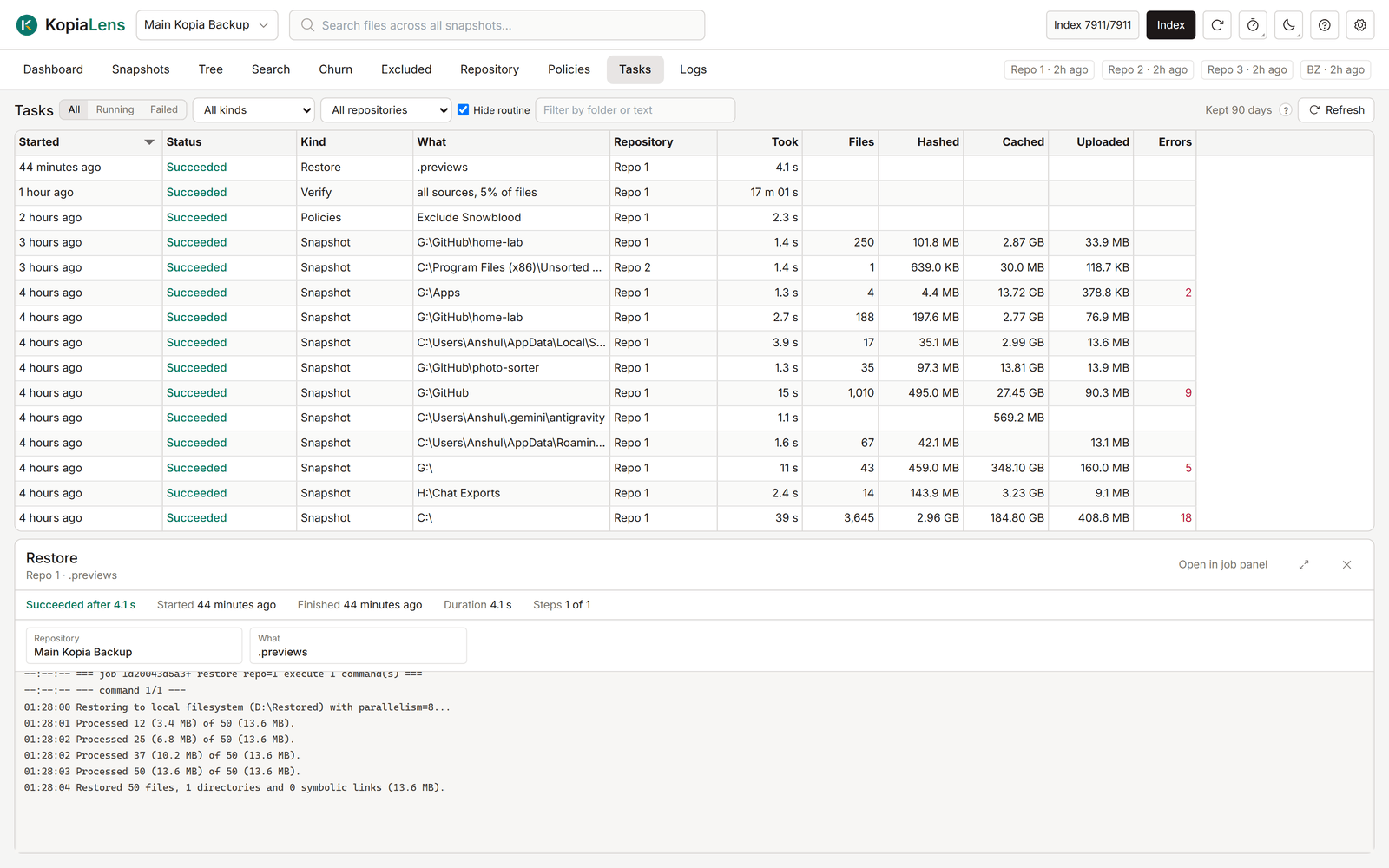
The Tasks tab lists every backup, maintenance run and KopiaLens job, running and finished, across all repositories. Open a task to see its progress and kopia's log, or to stop it.
What it shows
| Column | What it means |
|---|---|
| Started | When the task started |
| Status | Running, Succeeded, Finished with errors, Failed or Canceled |
| Kind | What sort of task it is: Snapshot, Maintenance, Remove files, Prune versions, Restore, Verify and so on |
| What | The folder or the action it worked on. A dry run says (dry run) |
| Repository | The repository it ran on |
| Took | How long it ran, or has run so far |
Backups and maintenance appear here when KopiaLens runs a repository's backups (Who runs backups). Jobs you start in KopiaLens, such as deletes, restores and dry runs, appear for every repository. While a task runs, the Tasks tab shows the count, for example Tasks (1).
The list updates every few seconds while the tab is open.
Filter the list
- All, Running or Failed. Failed also lists tasks that finished with errors.
- A kind and a repository, in the two lists.
- Filter by folder or text matches the task's description and its error.
Open a task
Click a row. The task opens with its start and finish times, how long it took, its counters and kopia's log as it runs.
-
Counters list what kopia counted, such as files, folders, hashed and cached files, excluded files and errors. Counters at zero are greyed.
-
Output shows kopia's messages, each with its details in grey. KopiaLens saves them while the task runs, so long tasks keep every line.
-
Full log shows kopia's complete log for jobs KopiaLens runs on the command line.
-
Stop stops a running task.
-
Open in job panel opens a KopiaLens job in the job panel.
-
The button beside them switches between a full-size popup and a small panel under the list. KopiaLens remembers the choice.
How long tasks are kept
Finished backups and maintenance are kept for 90 days by default. The number next to the filters shows the current setting. Change it in Settings → Advanced → Task history.